No Open Ports: How a Store's Cameras Can Talk to the Internet Without the Internet Talking Back
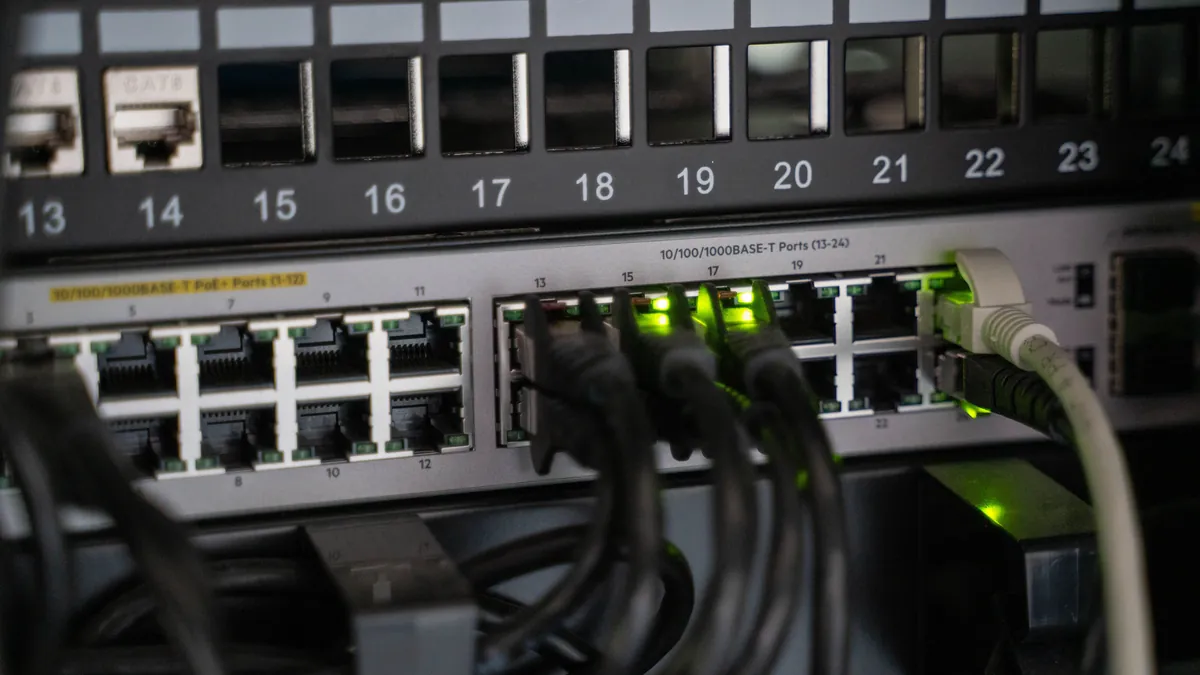
The day the camera installer set up remote viewing on your phone, something happened on your router that nobody explained. To let the app reach the recorder from outside, a door was opened: a port forwarded, or UPnP left on so the recorder could open one itself. That door does not know who is knocking. It answers everyone.
This is the part of camera security that gets least attention and causes the most damage, and it is worth understanding because the fix is architectural, not a matter of choosing a better password.
The internet is already looking
Security researchers at Bitsight scanned for exposed cameras and reported finding over 40,000 streaming live on the internet, with "no passwords, no protections" - roughly 14,000 of them in the United States, including views of retail and office interiors. Nobody targeted those businesses. Search engines for internet-connected devices index open ports continuously; as a joint CISA advisory puts it, such devices are "quickly found by searching for open ports on public IP ranges with search engine tools". Being small is not camouflage.
The vulnerabilities are documented and in active use. CISA published an alert for a remote code execution flaw in Hikvision cameras, CVE-2021-36260, warning that a "remote attacker could exploit this vulnerability to take control of an affected device". In August 2024 it added two Dahua IP camera authentication-bypass flaws to its Known Exploited Vulnerabilities catalog - a catalog that exists specifically for vulnerabilities being exploited in the wild, right now.
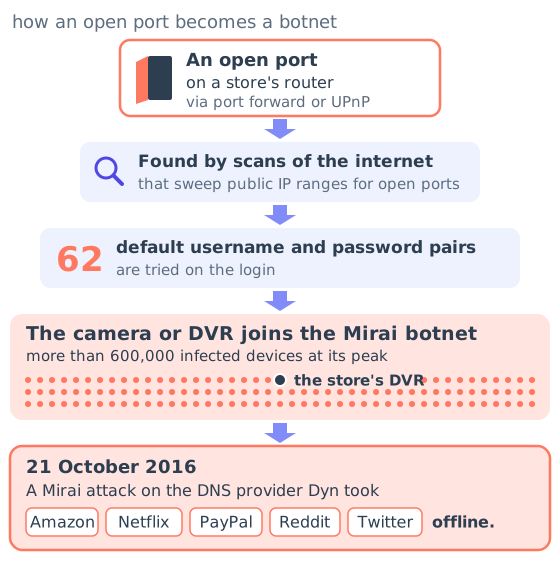
What gets built out of those devices is not small. Mirai, the botnet that broke records in 2016, was assembled from exactly this hardware: US-CERT's alert described the infected population as “primarily home routers, network-enabled cameras, and digital video recorders”, compromised by trying 62 default username and password pairs. A retrospective analysis by researchers at Cloudflare, Google, Akamai and several universities counted more than 600,000 infected devices at its peak, and noted that on 21 October 2016 a Mirai attack on the DNS provider Dyn took Amazon, Netflix, PayPal, Reddit and Twitter offline. Those DVRs belonged to people who thought they had bought a security product.
The FBI's guidance for small businesses on this is one sentence long and worth taping to the router: “configure network firewalls to block traffic from unauthorized IP addresses and disable port forwarding”.
"Put it in the cloud" is not automatically the answer
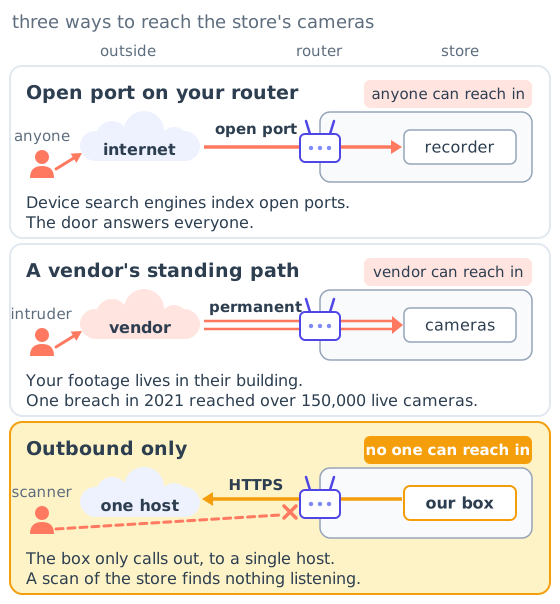
The obvious response is to hand the problem to a cloud camera vendor. That moves the door rather than closing it: now the vendor holds a permanent path to your cameras, and their security is your security. In March 2021 an intruder reached Verkada's systems, and the FTC's subsequent action stated that “the hacker had access to over 150,000 live Verkada customer cameras”, including hospitals, schools and police departments. The company paid a $2.95 million penalty. The customers had done nothing wrong; their footage was in someone else's building.
So neither an open port on your router nor a standing remote path from a vendor is a good place to be. The question is whether there is a third shape.
Outbound-only, and what it means concretely
There is, and it is the ordinary shape of the rest of your business software. Your card terminal does not accept incoming connections from the internet; it calls out to the processor. Your accounting app does not listen on a port at your address; your browser calls out to it.
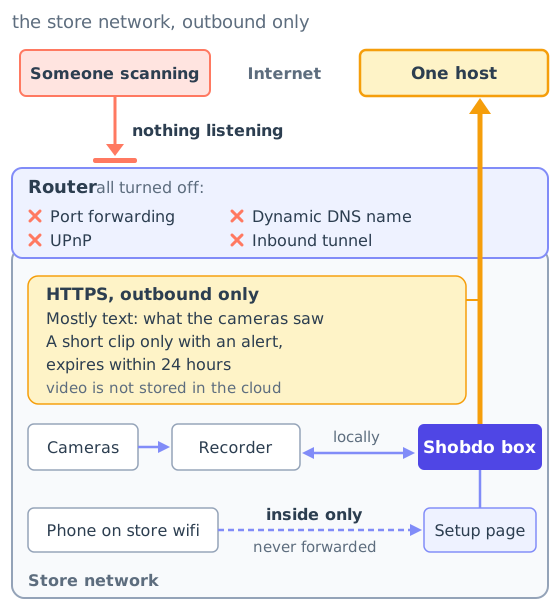
Our box at the store works the same way. It sits on the store's own network, talks to your recorder locally, and makes outbound HTTPS connections to a single host. Nothing on the internet can open a connection to it: no port forwarding, no UPnP, no dynamic DNS name pointing at your store, no tunnel that lets anyone in from outside. If someone scans your store's address, there is nothing listening. The one thing the box does expose is a setup page reachable only from inside the store's own network, which is never forwarded to the internet.
This is the same principle NIST formalised as zero trust - “no implicit trust granted to assets or user accounts based solely on their physical or network location” - applied at the simplest possible level: if the store never has to trust an inbound connection, it never has to decide whether an inbound connection is trustworthy.
It also pairs with the other half of our design. What goes out over that connection is mostly text, the written record of what the cameras saw, because video is not stored in the cloud. A short clip travels only when it is attached to an alert, and it expires within 24 hours. There is no library of your store anywhere for anyone to breach, which is a better guarantee than a promise to guard one carefully.
Four questions for whoever installed your cameras
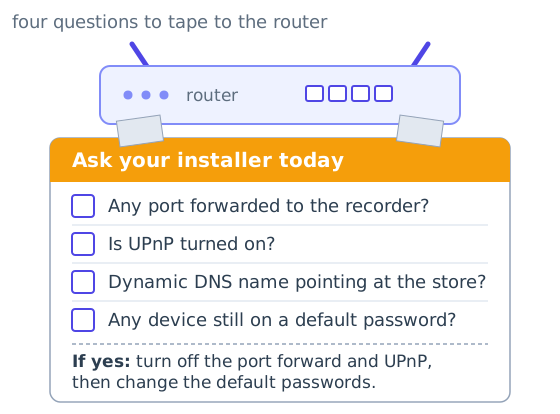
Ask them, today: Is any port forwarded to the recorder on my router? Is UPnP enabled? Does the recorder use a dynamic DNS name that points at my store? Are any devices still on their default passwords?
If the answers are uncomfortable, the first move costs nothing: turn off the port forward and UPnP, and change the default credentials. Remote viewing through an open door is a convenience you are renting for the strangers.
Shobdo VideoRAG is an AI agent for the security cameras your store already owns. It writes down what it sees and texts you only when something matters. Learn more or book a conversation.