AI Security Cameras: Do You Need to Buy New Ones?
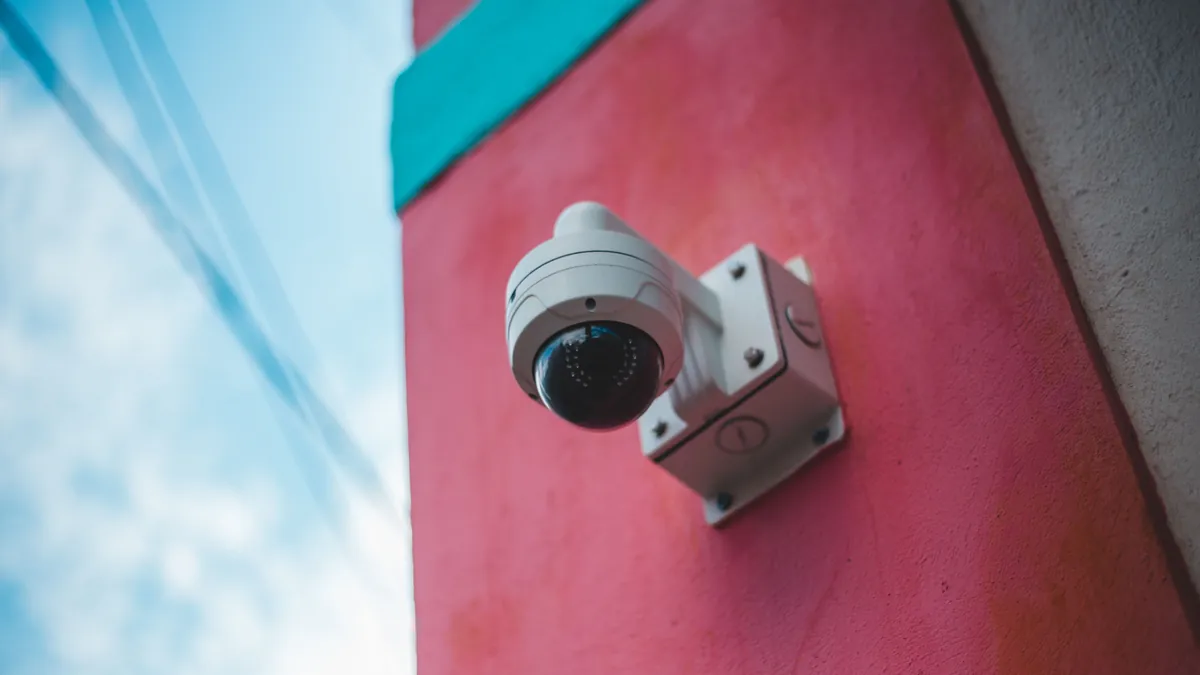
You have eight cameras on the wall and a recorder in the back office. Then a salesperson, or an ad, says the words "AI security camera". Now a question lands. Do the cameras you already paid for have to go?
Probably not. For most stores the answer is no. Why? Because the AI does not have to live inside the camera. It can sit in the recorder, or in a small computer behind the recorder. From there it works on the same video the cameras already send. New cameras are the right answer in a few specific cases, and we list them below. For everything else, the hardware on the wall is fine. The money is better spent on what happens after the picture is taken.
What does the AI in an AI security camera actually do?
Less than the name suggests. Open almost any camera sold as "AI" today, and the intelligence has one job. It tells a person or a vehicle apart from everything else that moves. Hikvision calls its version AcuSense. Dahua calls its version Smart Motion Detection. It first shipped it in 2018, to tell human and vehicle shapes apart in a scene. Reolink and Lorex sell the same feature under plain names, such as person and vehicle detection. Some sellers call the whole category AI CCTV.
Why does a camera need that? Because plain motion detection fires on everything. A branch in the wind, a cat, headlights sweeping the lot at 2 a.m., rain on the lens. The owner gets forty alerts a night and turns them off within a week. So the manufacturers put a small chip in the camera. It looks at each motion event and asks one question: is that shape a person or a car? If yes, it sends the alert. If no, it drops it. Dahua's current version also filters out small and large animals, so they do not set off false alarms. That is the whole trick, and it is a good one. But it has nothing to do with the lens or the sensor.
In other words, the "AI" in the camera is a filter on motion alerts. It does not know what the person is doing. It cannot tell a delivery from a break-in, or a customer from someone behind your counter after close. It says "person", and the rest is still your job.
Do I need to upgrade my existing cameras to get AI?
People type this into Google almost word for word. So where can the AI sit? In three places, and only one of them is the camera.
The first place is the camera itself, as above. You buy a new camera with the chip inside, and you run new cable to it.
The second place is the recorder. The same manufacturers sell recorders that do the person-or-vehicle sorting for every camera plugged into them, old analog ones included. Hikvision's 2022 line of AcuSense DVRs, for example, sorts human and vehicle events on analog channels, with no camera set-up needed. So a store with ten-year-old coax cameras can get person detection by swapping one box in the back office. The cameras never come off the wall.
The third place is software that reads the recorder. Nearly every recorder made in the last decade speaks two open standards, ONVIF and RTSP. ONVIF is an industry body, and it is plain about one thing: conformance to its profiles is the only way to be sure two products work together. The profile that matters for video is Profile T. It covers H.264 and H.265 streaming, and alarm events such as motion and tampering detection. A newer one, Profile M, adds interfaces for classifying objects. So a camera can hand its person-or-vehicle labels to other software in a standard form. Does your recorder list ONVIF or RTSP on its spec sheet? Then outside software can pull the same video the recorder is already saving, and run its own analysis on it. We went through the protocols in The Cameras Are Already Paid For.
Now put the three together. Only the camera comes with a cabling job. The other two leave the wall alone.
Will an old or low-resolution camera hold the AI back?
Usually not. The AI does not look at your 4K picture. It shrinks the picture first. OpenEye, a video management vendor, explains in its support notes that video is scaled to about 640 by 360 before its AI processes it. Its detection distances do not depend on camera resolution. AxxonSoft's documentation for its person tracker puts the floor at 640 by 360 pixels and calls 1280 by 720 optimal. Above 1920 by 1080, detection does not get better.
So a 1080p camera from 2017 feeds the AI the same thing a 4K camera from this year feeds it, once the picture is shrunk. What limits detection is light, angle and distance. A person 30 feet away under one dim lot light is a smudge at any resolution. The fix for that is a brighter light, or a camera moved closer. Both cost less than eight new cameras.
What does replacing eight cameras cost against adding software?
Here is the arithmetic for an eight-camera store, with prices read from each seller's own site in October 2026.
Route one is new AI cameras on the recorder you have. Reolink's RLC-810A is a 4K camera with "person/vehicle/animal detection" and no subscription. It is $99.99 on Reolink's site, so eight of them cost about $800. A professional install adds $100 to $180 per PoE camera in Fixr's 2025 cost guide. That is $800 to $1,440 in labour. So call it $1,600 to $2,250. You will probably need a new recorder to match, too, because a camera's smart alerts go out through its maker's own app and recorder. What you get is a person-or-vehicle filter on the motion alerts, with nothing recurring.
Route two is a cloud camera system. Verkada's lowest-priced indoor dome lists at $799, and that price covers the hardware only; a licence is extra. Rhombus lists cameras from $399 to $3,299. Its own FAQ answers the licence question plainly: "All of our cameras require an ongoing license to operate." The licence is $149 per camera for one year. Eight of Verkada's lowest-priced cameras come to $6,392, before licences and install. What you get is the video in their cloud, with search and analytics on every plan. Want to keep your current cameras on Rhombus? Its relay box is $2,999 for up to ten camera streams, plus a licence per camera.
Route three is software behind the recorder you have. Our own VideoRAG is $125 a month for 8 cameras on the Standard plan, with the first 7 days free. Add a one-time $199 box if the store has no spare Linux computer. So twelve months is $1,500 plus the box. What you get is a written record of what each camera saw. You also get a text, but only after a second AI has watched the clip. It is a subscription, and route one is not. That is the honest trade.
| New AI cameras | Cloud camera system | Software on your recorder | |
|---|---|---|---|
| Cameras on the wall | Replaced | Replaced, or a $2,999 relay | Kept |
| First year, 8 cameras | About $1,600 to $2,250 | $6,392 for the cameras, before licences and install | $1,500, plus a $199 box |
| After the first year | Nothing | Licences continue | $1,500 a year |
| What the AI does | Person or vehicle filter | Filter, search and analytics in their cloud | Describes the scene, checks the clip before texting |
| Where the video lives | Your recorder | Their cloud | Your recorder; video is not stored in the cloud |
When is a new camera really the answer?
The first case is a camera with nothing behind it. An old analog camera wired to a monitor, with no recorder, has no stream for any software to read. So either a recorder with ONVIF goes in behind it, or the camera goes.
The second is night. If the picture of the back door at 2 a.m. is black, no AI can read it. A camera with infrared, or a light over the door, is the fix. The light usually costs less.
The third is a blind spot. If no camera sees the place you worry about, software cannot invent the view. That could be the receiving door, the cash office or the side of the building. One new camera there, on the recorder you have, costs a few hundred dollars. The rest of the system stays.
The fourth is a camera that is dead or fogged. Replace it with any ONVIF camera, and it joins the recorder like the others.
And one non-case: a working 1080p camera that a salesperson calls "legacy". Ask what it would do differently after the AI shrinks the picture to 640 by 360. The answer is nothing.
Where Shobdo VideoRAG fits
We are route three. VideoRAG connects to the recorder a store already owns (Dahua, Amcrest, Hikvision, or anything with ONVIF or RTSP), and nothing on the wall changes. The first AI watches every camera and writes down what happens in plain English. That is what changes when footage becomes words. The owner writes instructions in their own words, such as "tell me if anyone goes behind the counter after 9". When something matters, a second AI pulls the clip and watches it before any message goes out. Then the text arrives with a short GIF and a link, or by Telegram. The footage stays on the recorder, and video is not stored in the cloud. The short clip attached to an alert expires within 24 hours, and no audio is recorded.
Here is what it does not do today, plainly. It needs the internet. While the connection is down, alerts pause, but the recorder keeps recording. It does not recognise faces, and that is on purpose. Search across old footage and tracking a person from camera to camera are planned. And AI camera monitoring of this kind describes what happens in a place. It does not stand in for a guard.
Common questions
Do AI security cameras need a subscription? Some do and some do not. Reolink says its PoE cameras work without subscription fees. Verkada and Rhombus require a licence per camera, and software like ours is a monthly fee. So read the licence line before the spec sheet, and ask the seven questions before you sign anything.
Do AI security cameras work at night? Only as well as the night picture. The person-or-vehicle chip needs a visible shape, so infrared or a light over the door matters more than the AI label.
Can an AI security camera recognise faces? Some advertise it. We do not do it, on purpose, and we wrote down why store AI should never recognize faces.
Shobdo VideoRAG is an AI agent for the security cameras your store already owns. It writes down what it sees and texts you only when something matters. Learn more or book a conversation.